Never Lose a Shopify Order to a Failed Webhook Again
Webhook Proxy sits in front of your Shopify or WooCommerce order webhooks. Every order payload is logged, every failed delivery is caught, and every missed order can be replayed with one click — so a server crash or cold start never means a lost sale.
5,000 webhooks/month free · 30-second setup · No SDK required
Why this exists
Ask any Shopify or WooCommerce store owner and you'll hear the same story: an order webhook silently fails during a flash sale or a server hiccup — and the first sign of trouble is an angry customer asking where their order went.
Order webhooks don't retry themselves, and most platforms don't give you a usable log or a replay button when they break. Webhook Proxy was built to be the thin, boring safety net every e-commerce stack is missing — log every order, catch the failures before they cost you a sale, and make retrying a single click.
How it works
No SDK, no code changes on your existing server — just a URL swap.
Swap your endpoint URL
Create a proxy endpoint in the dashboard and point your Shopify or WooCommerce order webhook at your new Webhook Proxy URL instead of your real server.
Every payload gets logged instantly
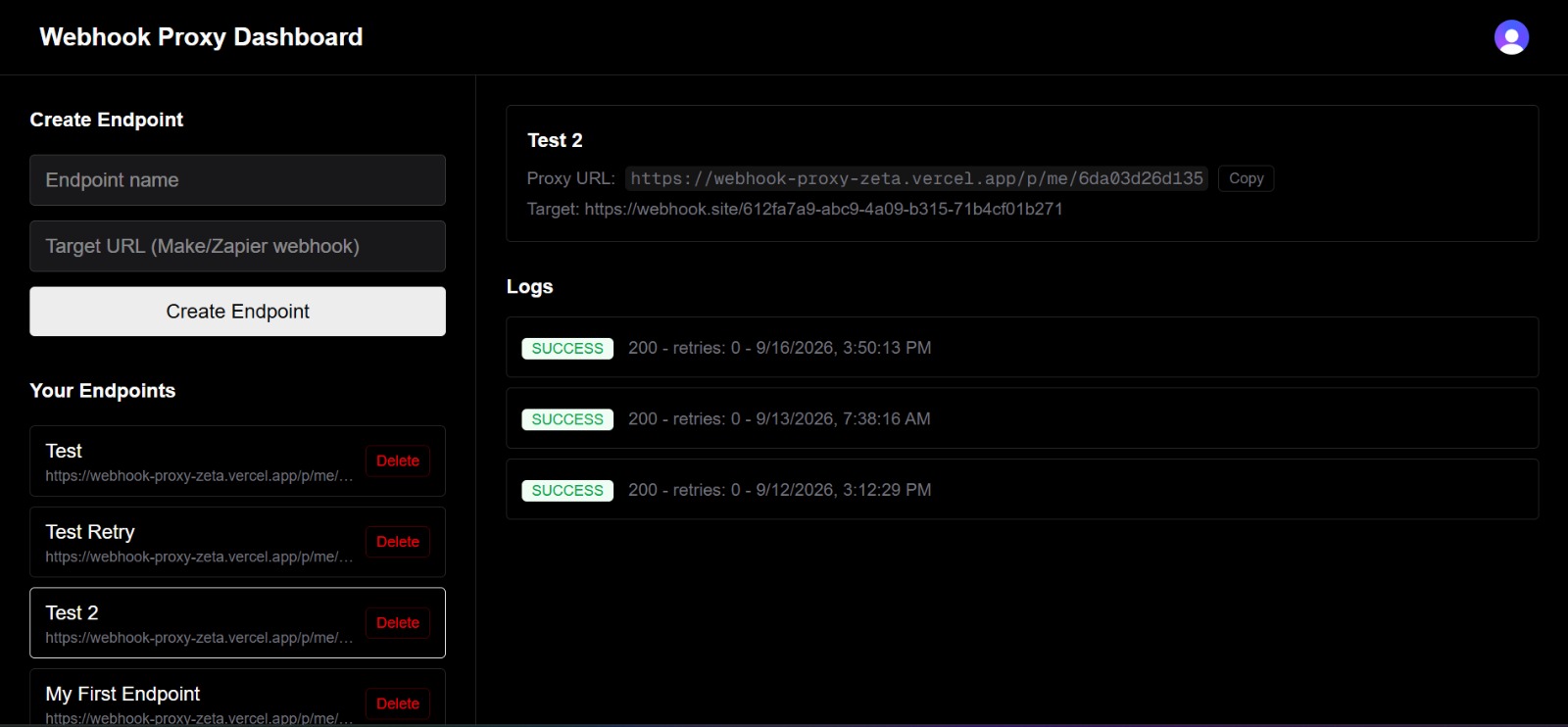
Raw JSON, headers, and status codes are captured the moment a webhook arrives — and forwarded on to your real destination in real time.
Catch failures, retry in one click
If your destination throws a 500 or times out, the payload is safely preserved. Inspect it in the dashboard and hit Retry — same payload, same headers, redelivered instantly.
Everything you need, nothing you don't
Built for Shopify and WooCommerce store owners, not enterprise procurement teams.
Raw payload logging
Every webhook's exact JSON body, headers, and timestamp — preserved and searchable.
Live status tracking
See 200 OK vs 4xx/5xx failures update in real time, no manual refresh needed.
1-click manual retry
Redeliver the exact original payload and headers to your destination in a single click.
Automatic backoff retries
Failed deliveries automatically retry on a backoff schedule before falling back to manual.
Zero SDK, zero install
Just swap the URL your order webhook points to. No package to install on your server.
Sensitive field redaction
Common secret-looking fields are masked in the dashboard view to reduce accidental exposure.
Frequently asked questions
Requests are forwarded to your destination immediately after being logged — typically adding low single-digit milliseconds. There's no queueing delay; it's a direct relay, not a batch job.